Features/Dovetail Cut
Dovetail Cut
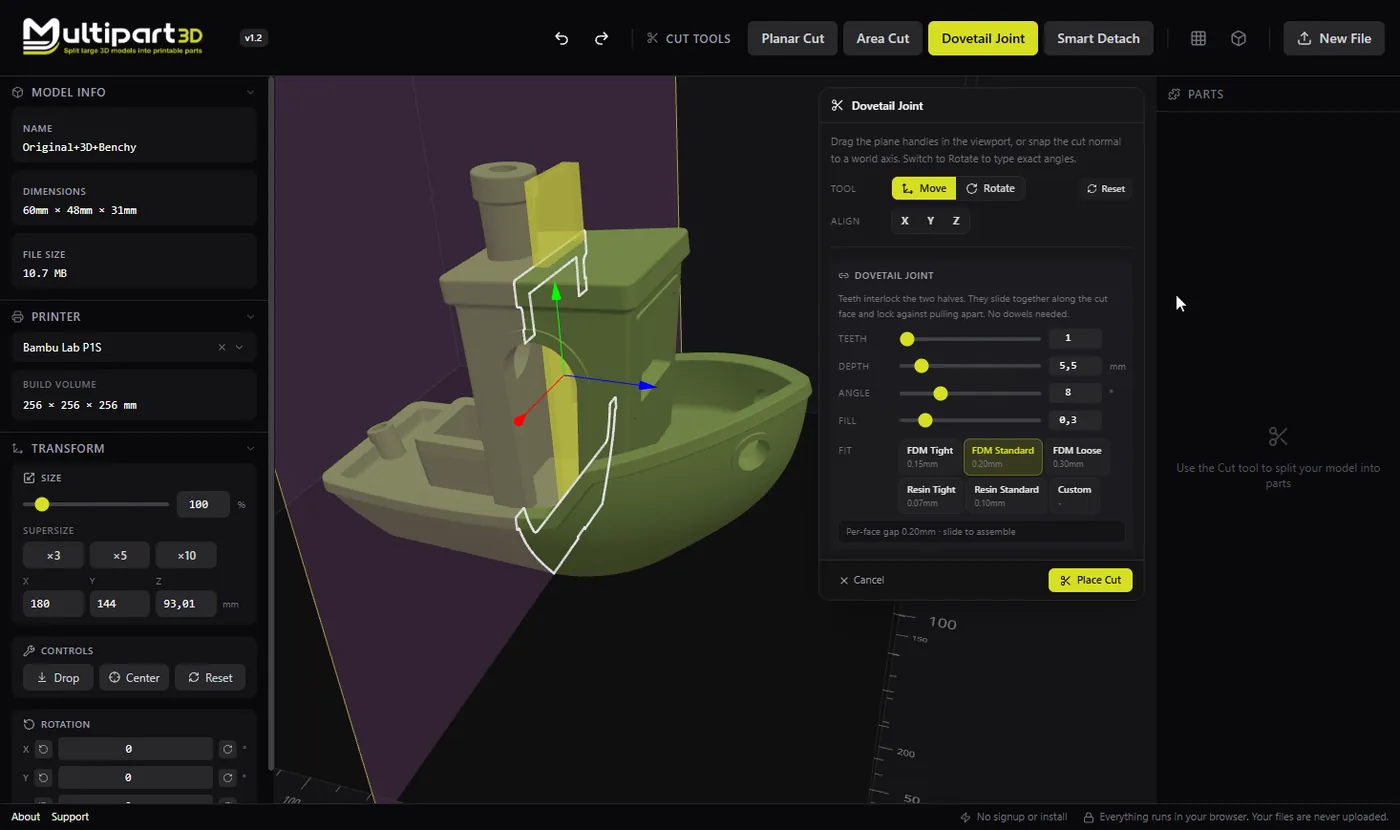
Interlocking teeth that slide together and lock. The seam helps parts self-align.
When to use it
- Parts must align the same way every time you assemble them
- A flat glue joint feels too weak or too slippery to register
- You want a mechanical lock before adhesives or magnets
- Cosplay, props, or large prints that ship or travel in pieces
How it works
- Open Dovetail Cut and position the cut across the model.
- Adjust tooth size so the joint fits your printer’s tolerance.
- Preview the interlocking halves, then commit.
- Print a small tolerance test if needed, then export final parts.
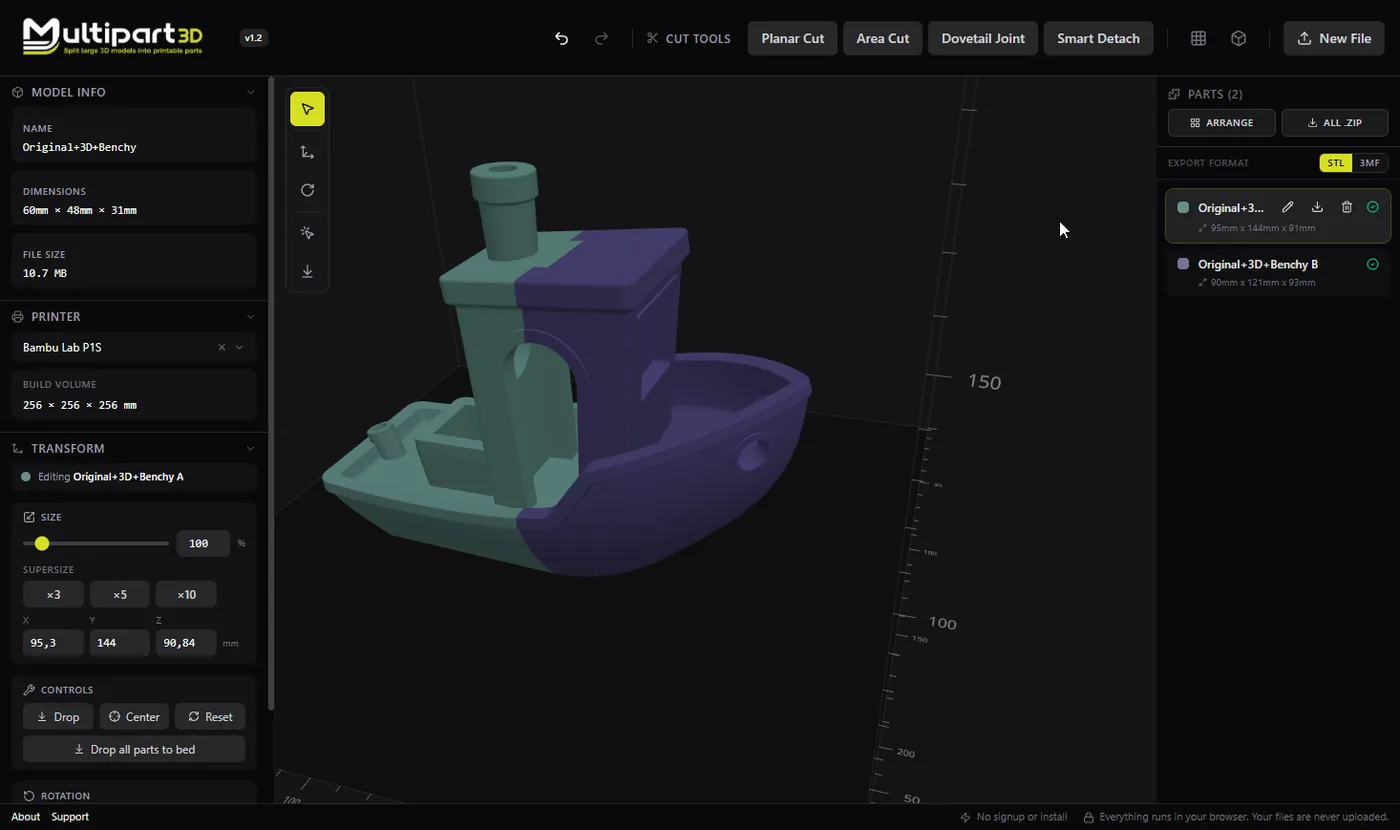
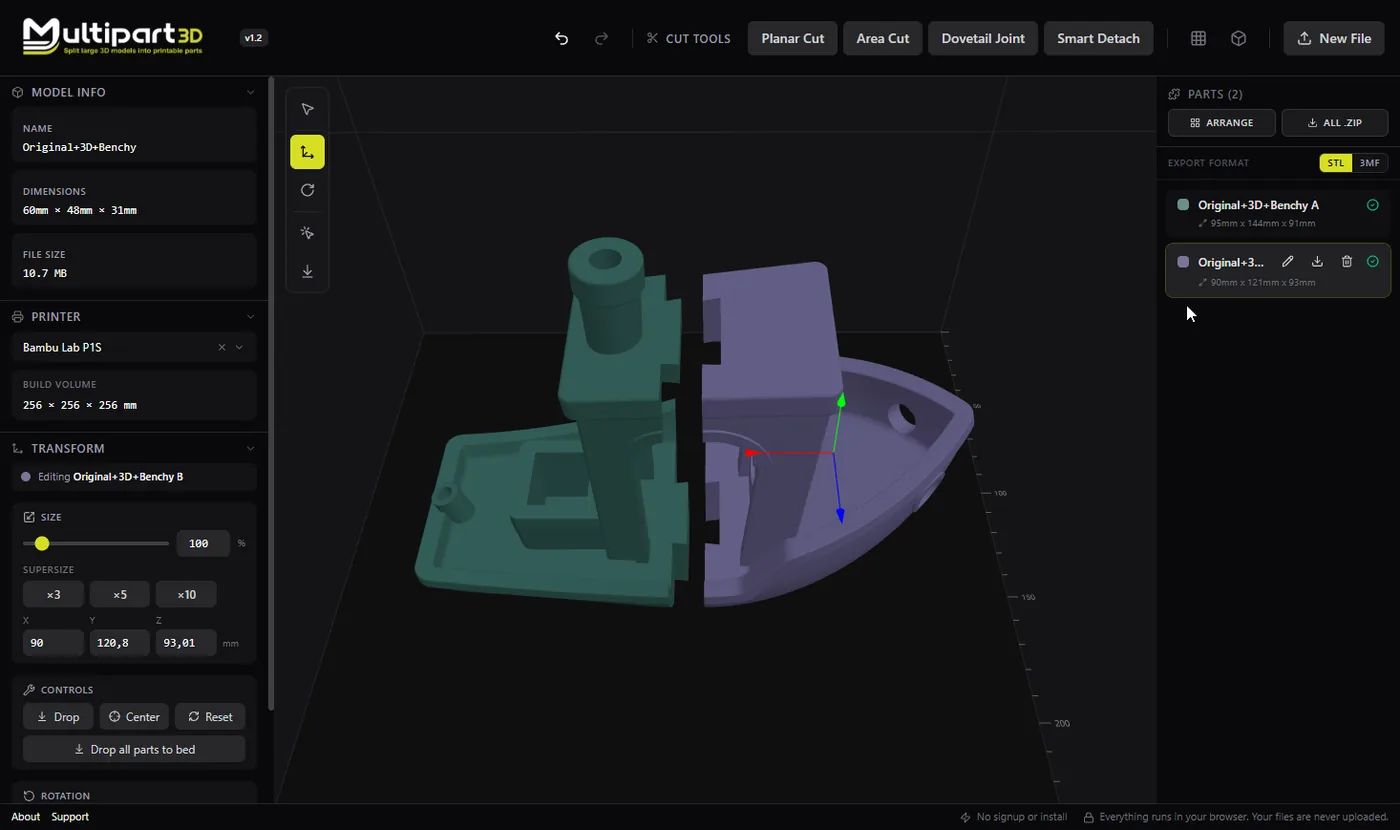
Dovetail-style seams turn a split into a joint. The teeth guide assembly and resist shear better than two smooth faces. In Multipart3D you generate that geometry in the browser instead of modeling the joint by hand in CAD.
This is especially useful when models are split for build volume: the joint carries alignment so you spend less time jigging parts during glue-up.
For invisible seams on organic shapes, you may still prefer a planar cut plus magnets. For structural or large parts, dovetails are often worth the visible tooth pattern.
Tips
- Leave clearance for your filament and printer. Tight teeth can weld shut.
- Avoid placing teeth through fine surface detail you care about.
- Use magnets or dowels in addition when you need clamping force.